Styling
All MindKey Recruiting Web Components do not use Shadow DOM making them adapting to your page's style. This way, you can define the visual appearance of the components by overriding their styles via CSS. The markup cannot be changed. If you want to build experiences with different markup, you are advised to use the Recruiting API or the Recruiting API Client directly.
Predefined styles
If you wish, you can use our predefined styles by including one or more of our stylesheets. They help you to start the implementation by providing useful defaults. You are not required to use the styles and can completely implement your own styling.
Stylesheets
All stylesheets have the base URL https://recruiting.mindkey.com/.
| Stylesheet | Component | Description |
|---|---|---|
structure.css | All | Defines a basic structure, without any colors. |
vacancy-list.css | Vacancy List | Styles the Vacancy List component as a list. |
vacancy-list-cards.css | Vacancy List | Styles the Vacancy List component as cards. |
vacancy-list-responsive.css | Vacancy List | Combines the list and cards style. For small viewports (e.g. mobile devices) cards will be used. Otherwise the list. |
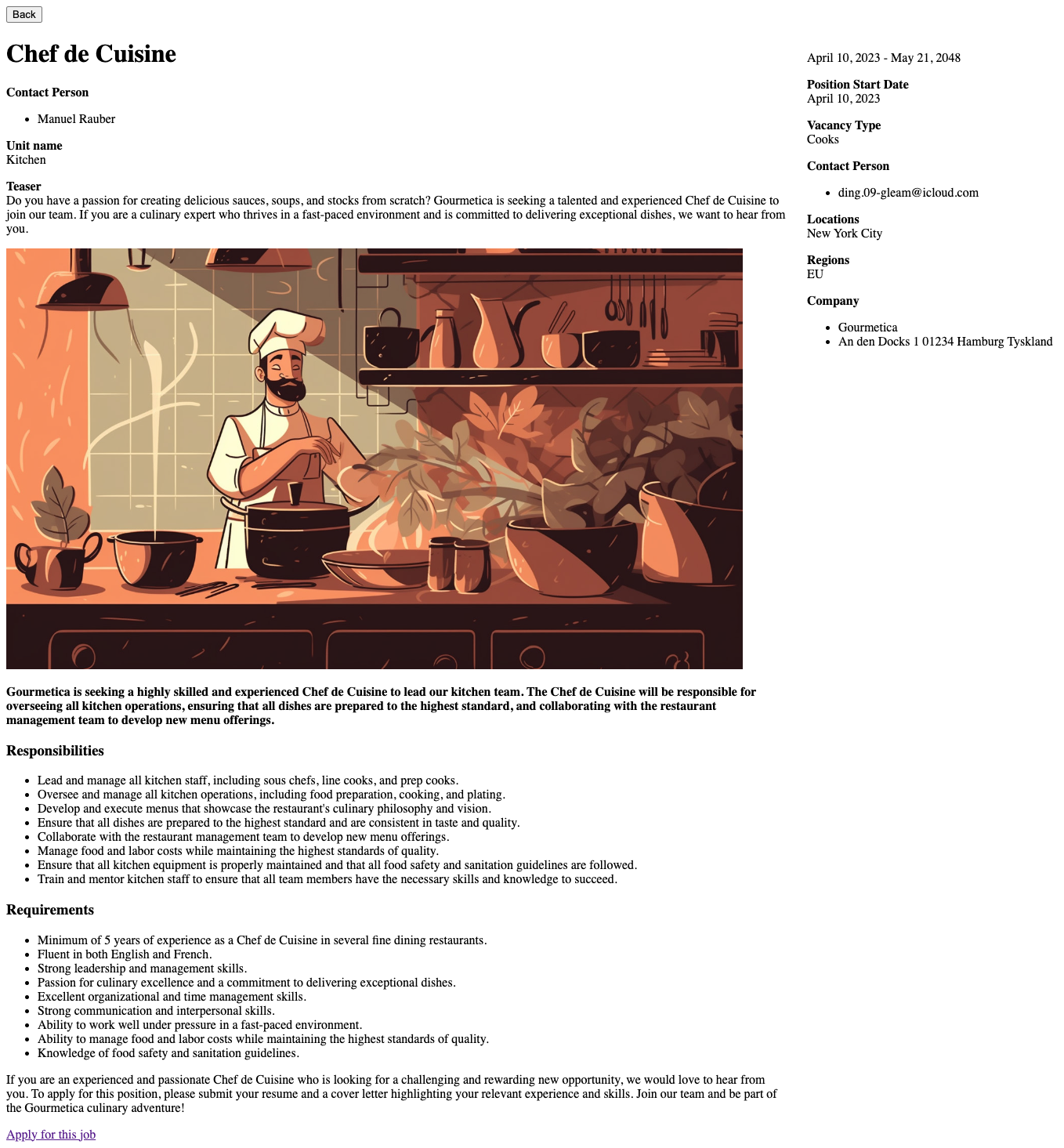
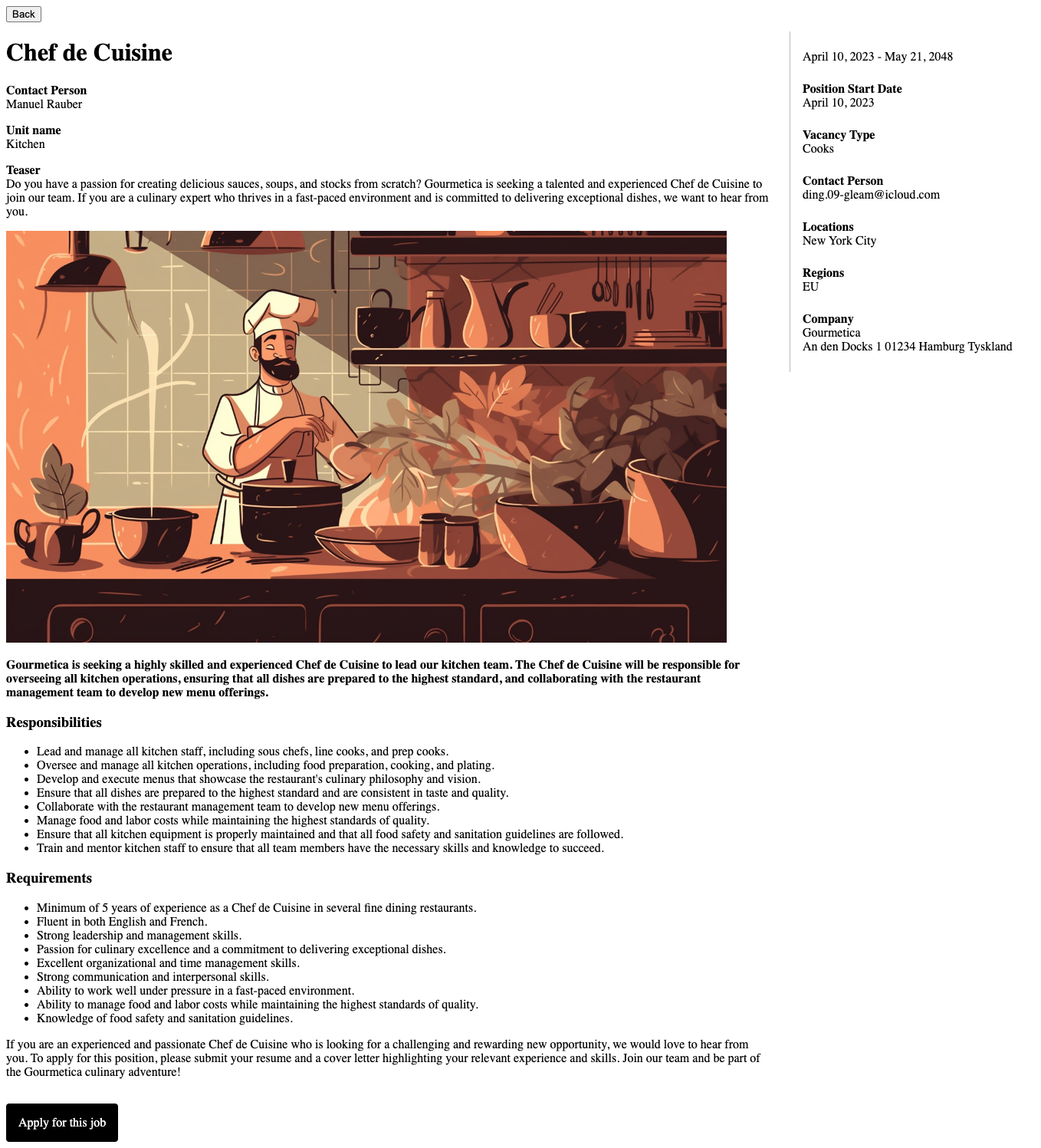
vacancy-details.css | Vacancy Details | Styles the Vacancy Details component. |
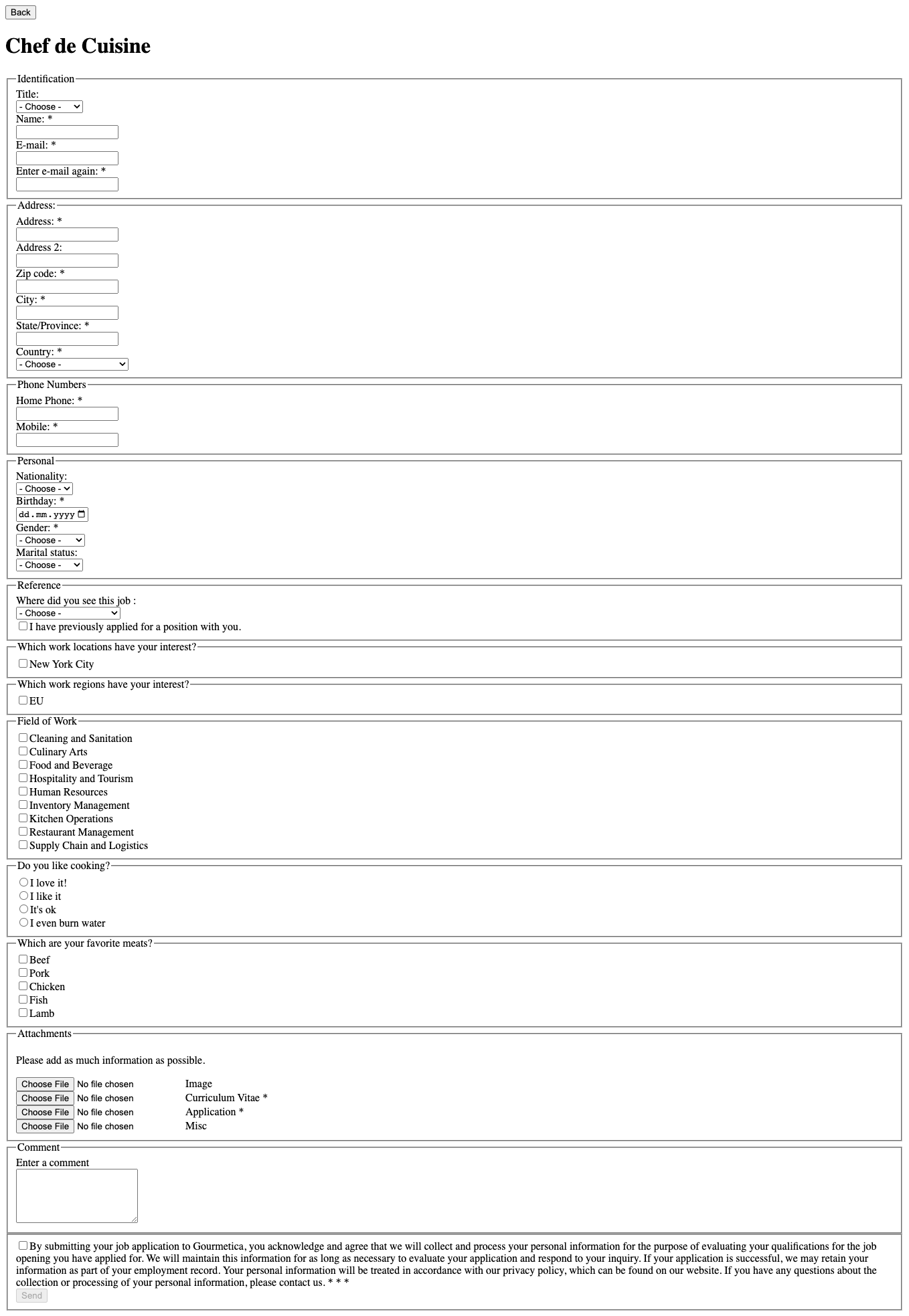
application-form.css | Application Form | Styles the Application Form component. |
job-agent.css | Job Agent | Styles the Job Agent component. |
All our CSS stylings are optional, however we recommend to use the structure.css because it will add the common required asterisk symbol (*) to all required fields.
Example usage
<!-- To include the structure.css and vacancy-list-responsive.css -->
<link
  rel="stylesheet"
  href="https://recruiting.mindkey.com/structure.css"
/>
<link
  rel="stylesheet"
  href="https://recruiting.mindkey.com/vacancy-list-responsive.css"
/>
Visual Demonstration
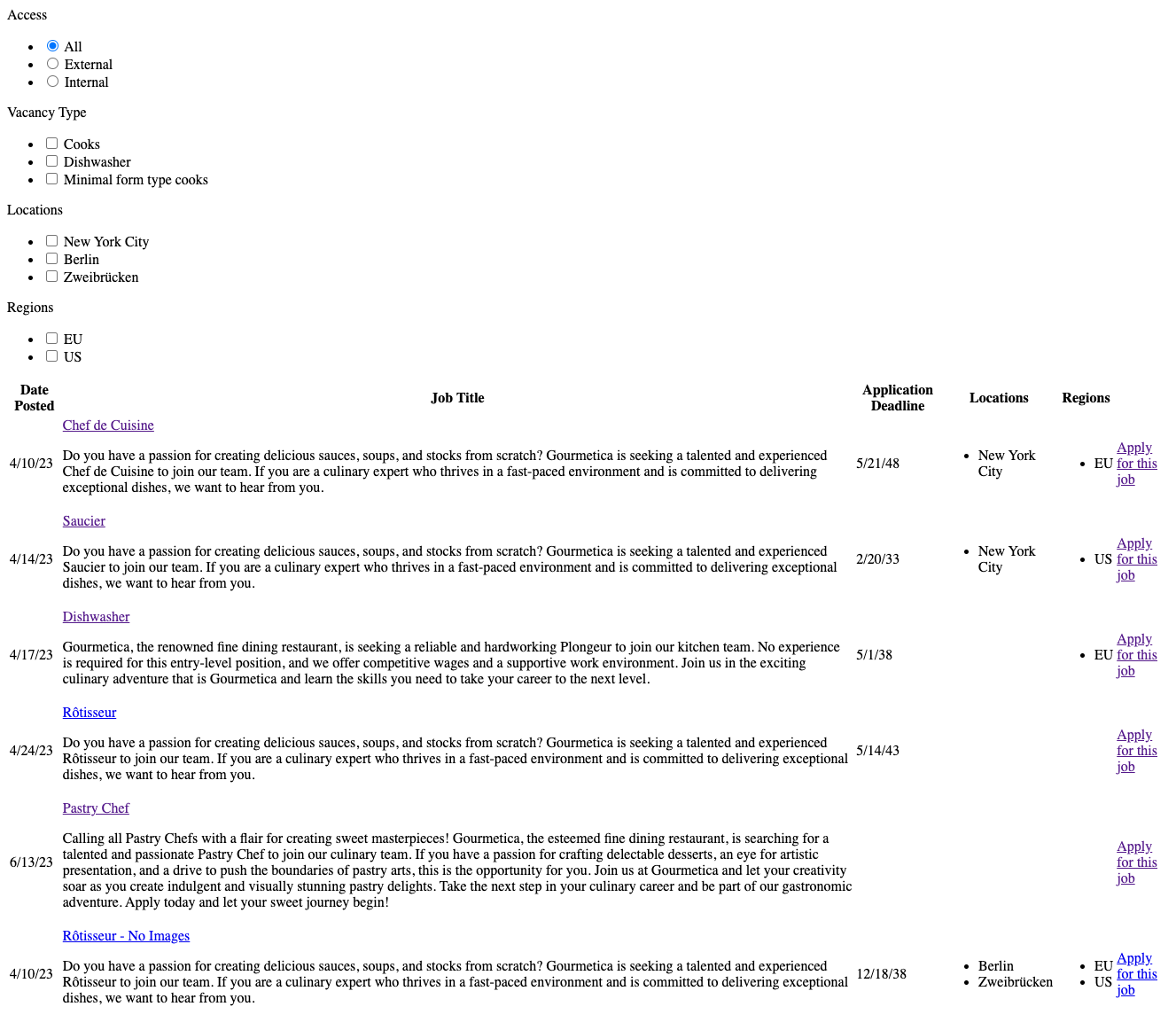
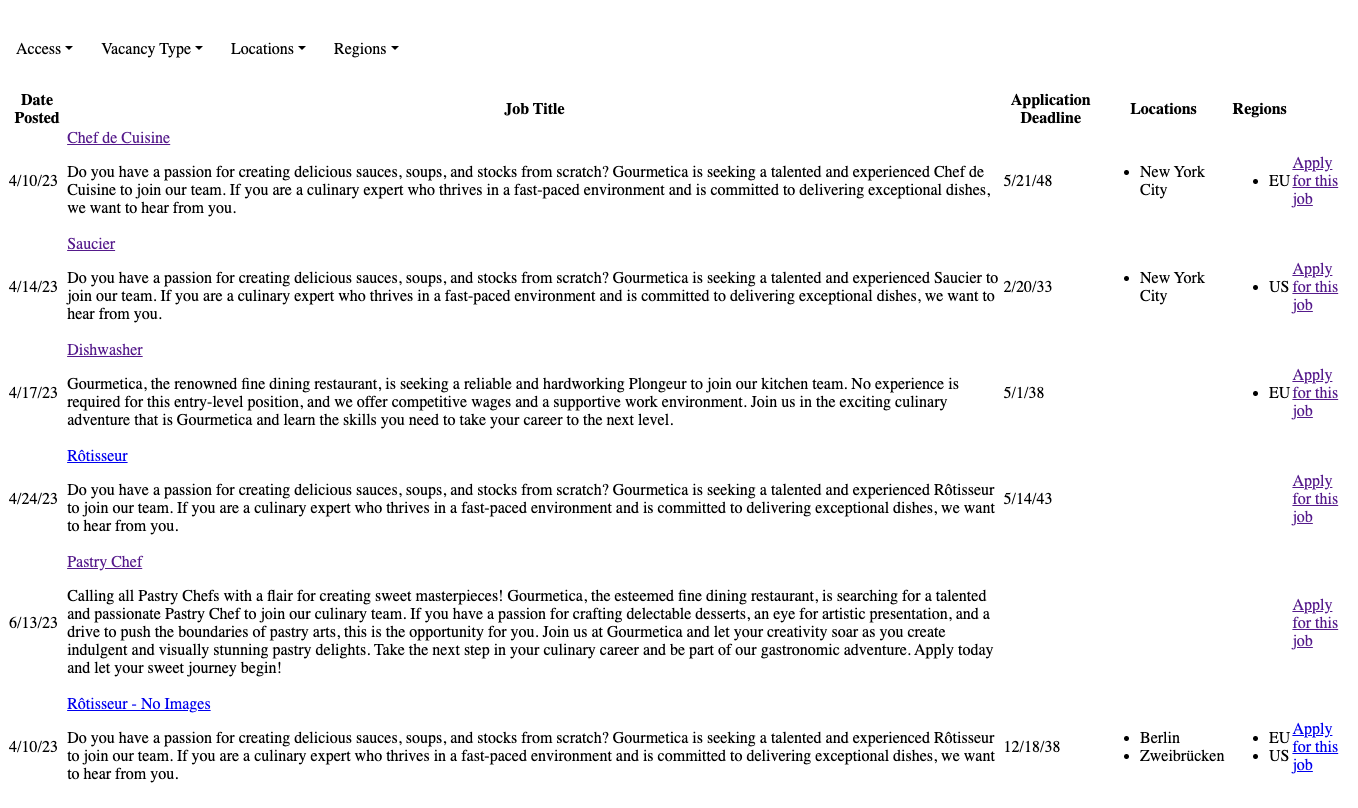
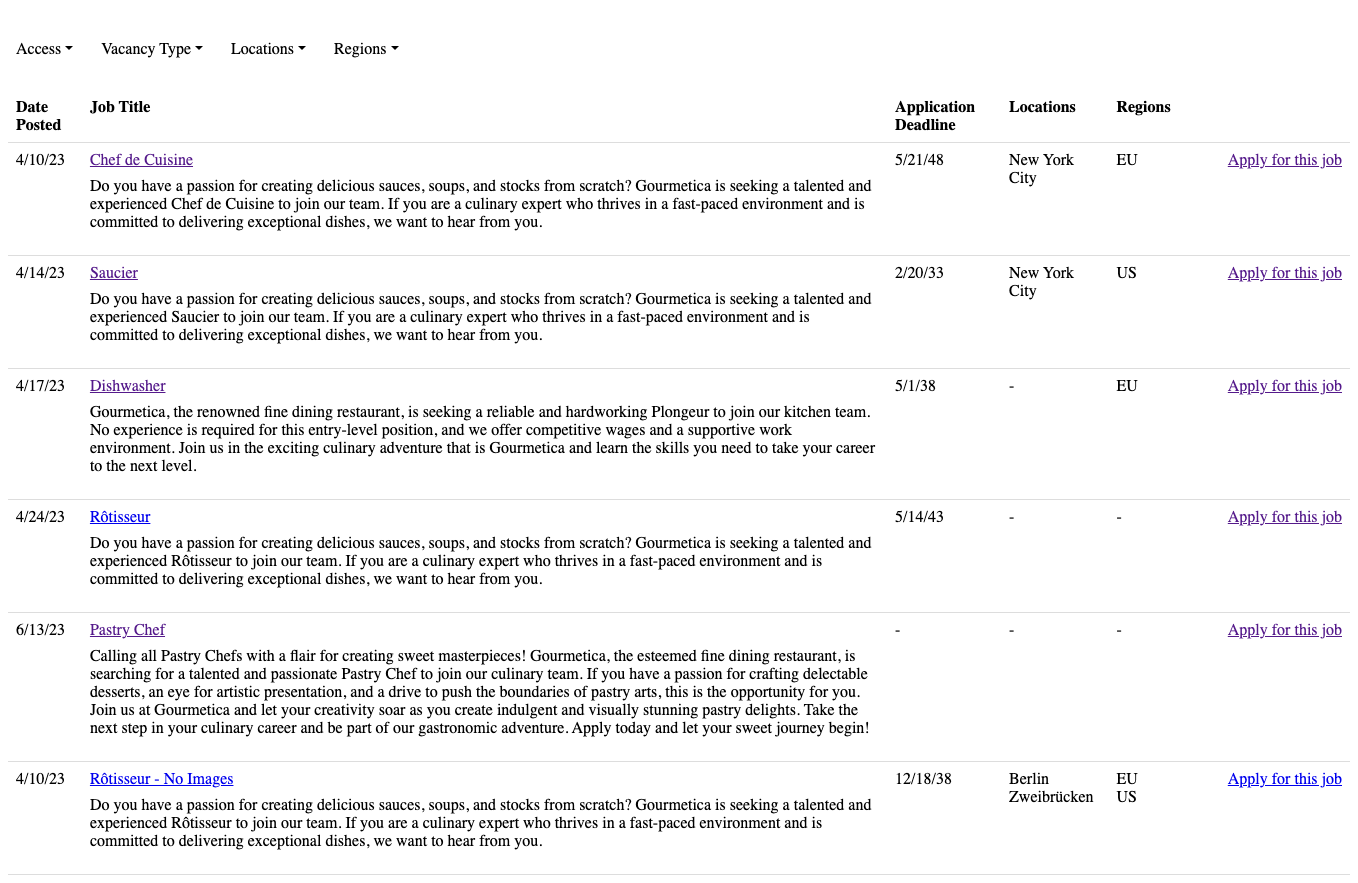
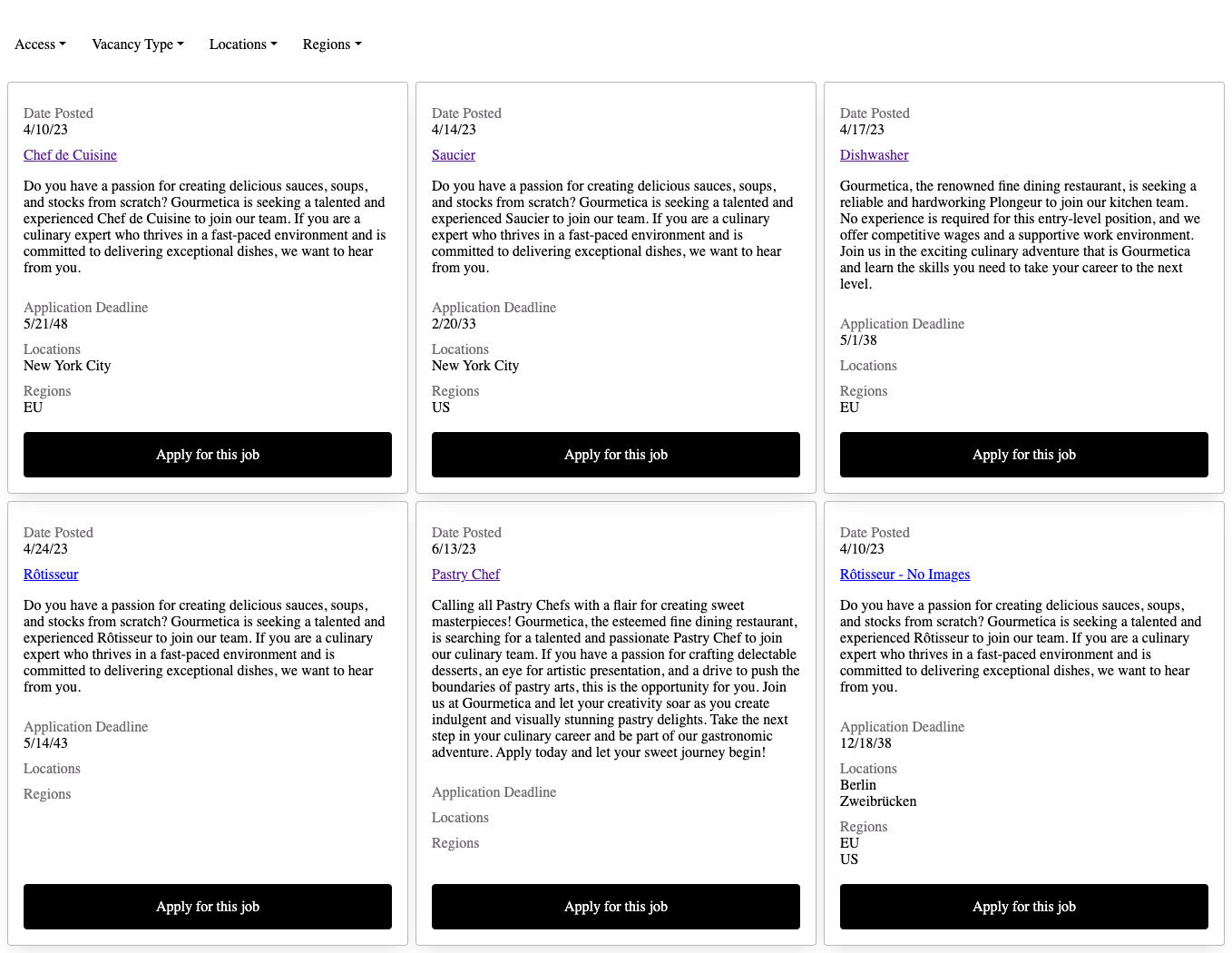
A visual demonstration of the implementation of different stylesheets is shown below.
No stylesheet
structure.css
structure.css + vacancy-list.css
structure.css + vacancy-list-cards.css
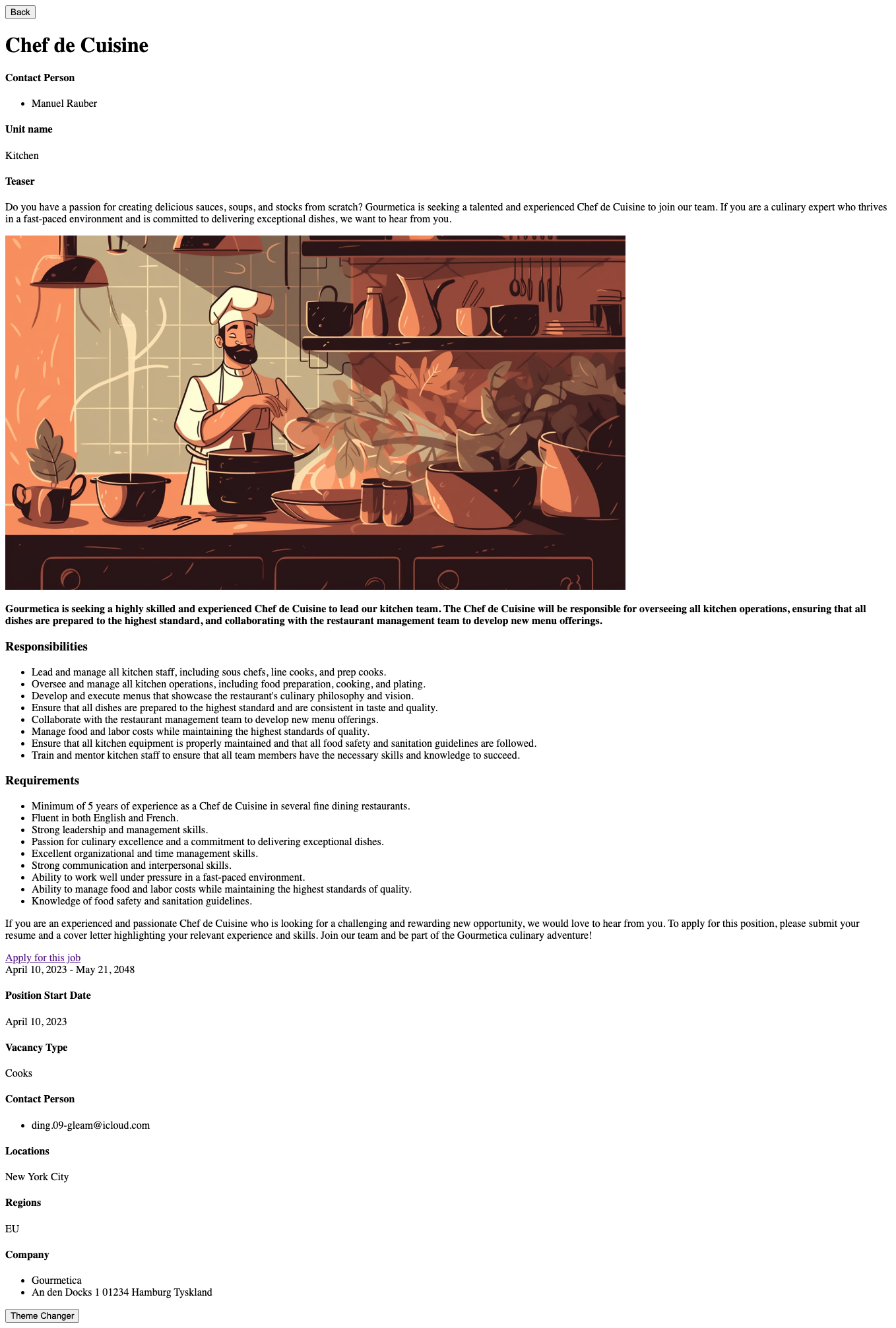
Vacancy Details Stylesheet
No stylesheet
structure.css
structure.css + vacancy-details.css
Application Form
No stylesheet
structure.css
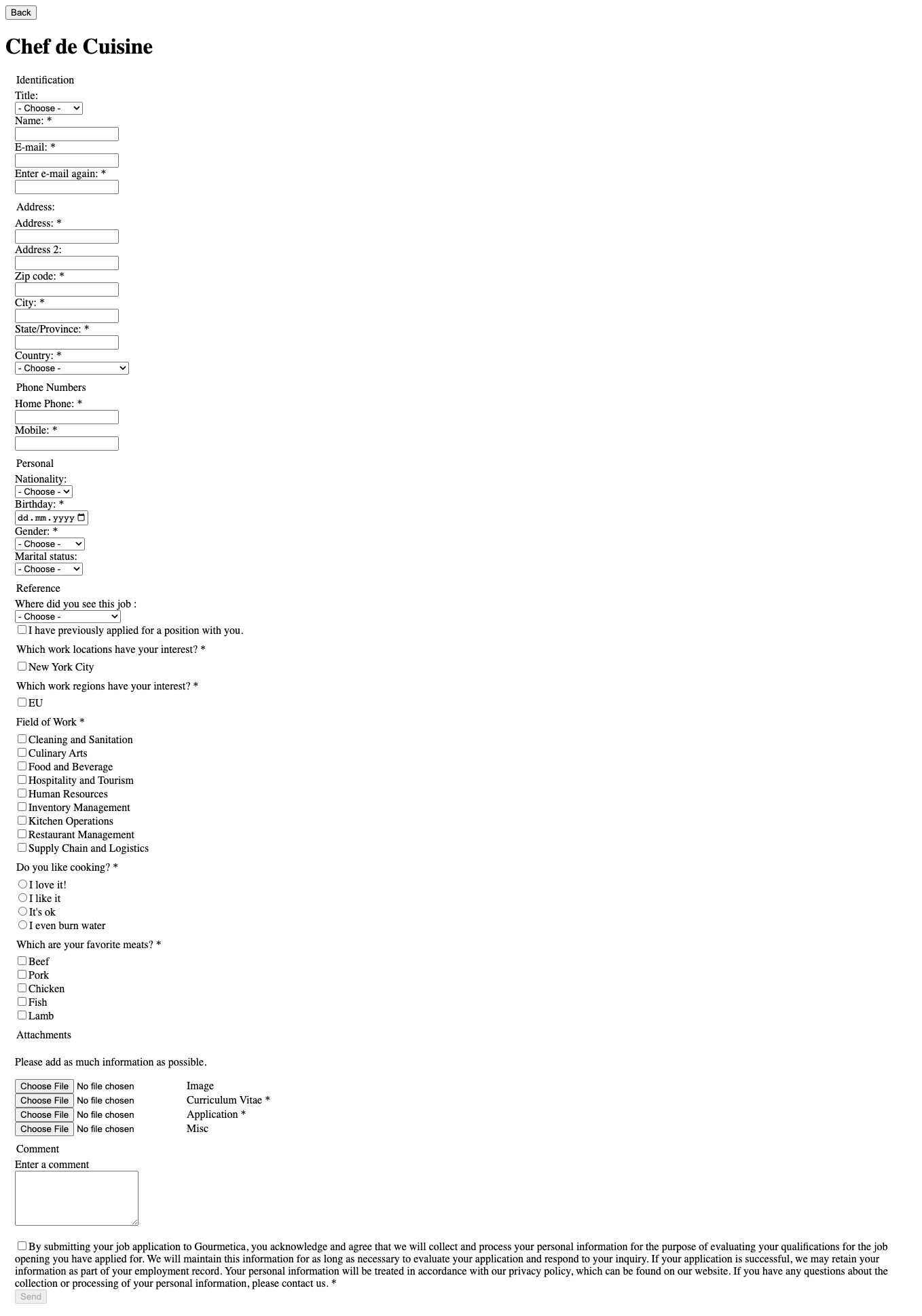
structure.css + application-form.css
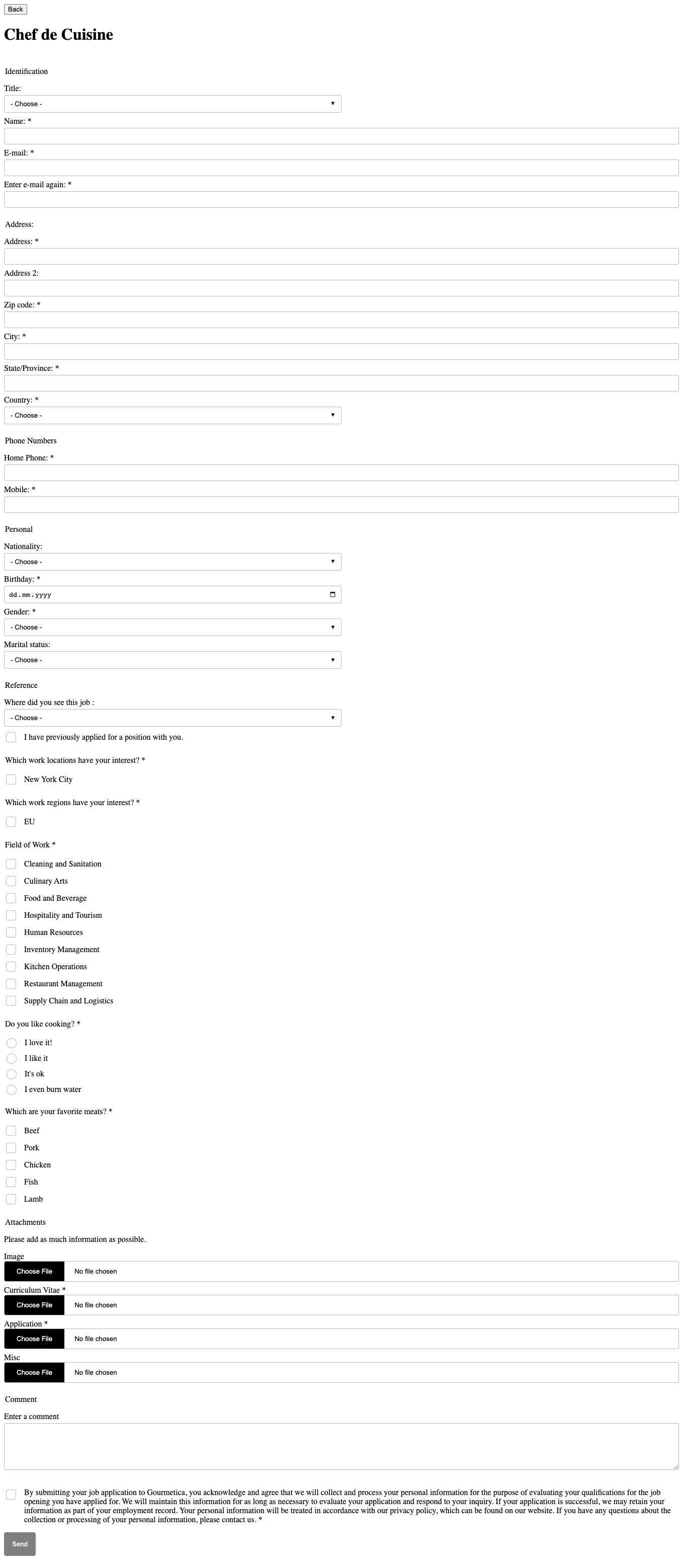
CSS Variables
Some stylesheets make use of CSS variables to allow easy adaption to your site's colors. To overwrite them, add the following snippet to your side after loading one or more of our predefines styles:
<style>
  :root {
    /* Overwrites go here */
  }
</style>
| CSS-Variable | Default | Description |
|---|---|---|
--mk-text-color | inherit | Color for texts |
--mk-link-color | inherit | Color for links (e.g. Apply Link) |
--mk-link-color-hover | inherit | Hover color for links |
--mk-heading-color | inherit | Color for headings |
--mk-error-color | #f8353f | Color when an error is being displayed (e.g. user types in e-mail in wrong format) |
--mk-background-odd | transparent | Background color for odd table rows (e.g. vacancy list) |
--mk-background-even | transparent | Background color for even table rows (e.g. vacancy list) |
--mk-card-background-odd | #ffffff | Background color for odd cards (e.g. vacancy list with cards) |
--mk-card-background-even | #ffffff | Background color for even cards (e.g. vacancy list with cards) |
--mk-line-color | #dfdfdf | Color for separator lines (e.g. vacancy details) |
--mk-border-color | #525252 | Color for borders (e.g. around buttons) |
--mk-input-color | inherit | Color for text of input fields |
--mk-input-background | transparent | Background color for input fields |
--mk-input-arrow-background | #ffffff | Background color for the arrow in select fields |
--mk-input-arrow-color | #000000 | Color for the arrow in select fields |
--mk-required-marker | inherit | Color of the required marker (e.g. the * in application form) |
--mk-checked-color | #000000 | Color of the circle/checkmark in radio buttons and checkboxes |
--mk-button-text | inherit | Color for buttons |
--mk-button-text-hover | inherit | Hover color for buttons |
--mk-button-background | transparent | Background color for buttons |
--mk-button-background-hover | rgba(0, 0, 0, 0.10) | Hover background color for buttons |
--mk-br | 4px | Border radius for various elements |
--mk-shadow | rgba(100, 100, 111, 0.2) 0px 7px 29px 0px | Shadow for filters and cards |
Examples
Overwrite the neutral color
<style>
  :root {
    --mk-text-color: green;
  }
</style>